





Best Cloud Storage for Personal Use: Complete Comparison Guide


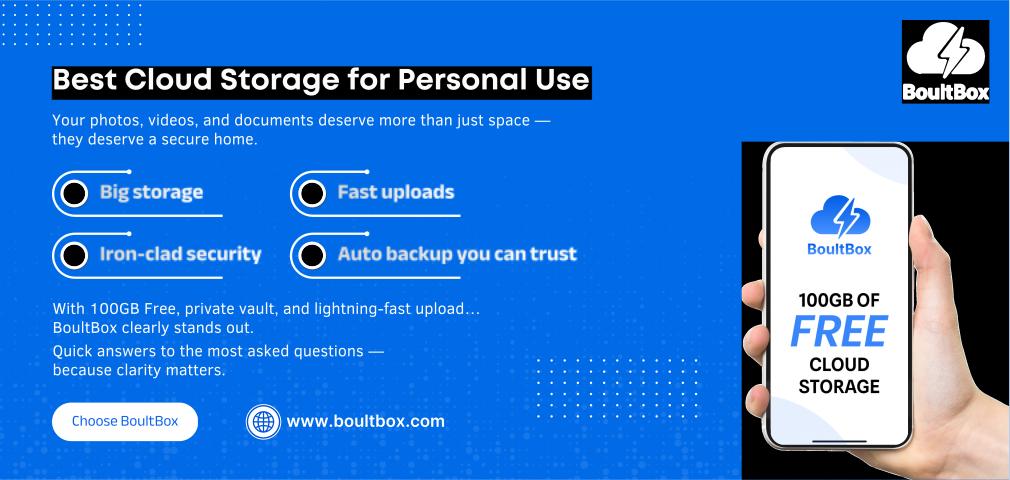
In today’s digital world, your photos, documents, and memories deserve a home that is safe, fast, and always accessible. But with so many cloud storage platforms claiming to be the “best,” choosing the right one can feel overwhelming.
This guide simplifies everything. Here’s a clear, developer-level comparison of the best cloud storage for personal use, focused on security, speed, storage space, pricing, and ease of use.
Why Personal Cloud Storage Matters
- Enough free storage
- Secure encryption
- Fast upload/download speed
- Mobile + web accessibility
- Reliable backup & privacy
Top Cloud Storage Options for Personal Use (2025 Comparison)
| Cloud Service | Free Storage | Paid Plans Start At | Security Level | Best For |
|---|---|---|---|---|
| BoultBox | 100GB Free | ₹— (Coming Soon Plans) | Strong Encryption, Private Vault | Everyday users needing large free storage |
| Google Drive | 15GB | ₹130/month | Good | Photos + Docs |
| OneDrive | 5GB | ₹159/month | Good + Office | Office users |
| Dropbox | 2GB | ₹850/month | Good | Teams & collaboration |
| Mega | 20GB | ₹450/month | High | Encrypted backups |
Why BoultBox Is the Best Cloud Storage for Personal Use
As a cloud engineer or long-time tech user, here’s what stands out:
- 100GB Free Cloud Storage
- Students
- Photographers
- Small business owners
- Anyone backing up mobile data
- Private Vault for Sensitive Files
- Passcode access
- Encrypted storage
- Zero-knowledge protection
- Fast Upload & Download Speeds
- Large file uploads
- Stable downloads
- Seamless file previewing
- Easy to Use (No Technical Skills Required)
The interface is clean, minimal, and designed for non-technical users while still offering smart features for advanced users.
- Secure by Design
BoultBox applies modern encryption standards, secure APIs, and safe authentication methods — built with best practices used in enterprise-grade systems.
Key Features to Look for in Personal Cloud Storage
If you're choosing the best cloud storage for personal use, evaluate these features:
Essential Requirements
- Enough free storage
- File sharing without quality loss
- Private vault or encrypted folder
- Recovery options
- Mobile app accessibility
Bonus Features
- Multi-device sync
- Unlimited file types
- Secure shareable links
- Auto-backup
Who Should Use BoultBox?
- A free, high-storage cloud drive
- A secure vault for personal documents
- Easy file sharing
- Reliable access across devices
Developer’s Take (Human, Real, Practical)
As someone who builds digital systems, I prefer cloud storage that is lightweight, secure by architecture, fast even on average networks, and reliable for long-term file retention.
BoultBox aligns well with these expectations. Its performance-to-storage ratio is one of the best in the personal-cloud category.
FAQs
1. Which is the best cloud storage for personal use?
If you want maximum free storage + security, BoultBox is one of the top choices with 100GB free.
2. Is BoultBox secure for storing personal documents?
Yes. It uses encrypted vault storage and strict access controls.
3. Does BoultBox compress photos?
No. BoultBox stores your files as-is without quality loss.
4. Can I share files with anyone?
Yes. You can generate secure links and share them instantly.
5. What makes BoultBox better than Google Drive or Dropbox?
Primarily: more free storage, a private vault, and simplified user experience.
Final Thoughts
Choosing the best cloud storage for personal use doesn’t have to be complicated. If you need a secure, easy-to-use, high-storage platform without paying monthly fees — BoultBox clearly stands out.
Your files deserve a safe digital home. Start storing smarter with BoultBox.
Leave a Reply
Your email address will not be published. Required fields are marked *
Related Posts
Your Pocket-Sized Cloud – Why Boult Box Is Your Ultimate Mobile Data Companion
17/06/2025 · 5 Comments
In a digitally mobile world where smartphones are at the center of both work and personal lives, access to reliable cloud storage is no longer optional—it’s essential. Boult Box is built
100GB Free Cloud Storage in 2026: Why BoultBox Is a Smart Choice
17/06/2025 · 5 Comments
In 2025, cloud storage is no longer a luxury—it’s a necessity. Whether you're a student, a remote professional, a content creator, or just someone who needs digital peace of mind, cloud storage is as vital as having an internet connection.
Secure Cloud Storage in 2026: Inside BoultBox Premium Vault Security
17/06/2025 · 5 Comments
In 2025, the digital landscape is more complex and vulnerable than ever before. Data breaches are no longer rare events; they have become daily headlines. From personal identity theft to corporate espionage, the threat to our digital information is real and growing. In this era of hyperconnectivity and mass surveillance, digital privacy isn’t a luxury – it’s a necessity.
BoultBox Premium: Redefining What Cloud Storage Can Be in 2025
17/06/2025 · 5 Comments
In an age where free cloud storage options are everywhere, you might wonder: Why go premium? The answer lies not in how much you pay, but in what you truly get.